
One trip. Every detail in place.
From the flight to the last evening out: build a daily itinerary, bring your travelers together, and keep plans, spending, and packing in the same trip. Here is what that looks like in practice.
Screenshots show the English web app with safe demo data and paid trip features. Click or tap an image to enlarge it.
Give every day a clear plan.
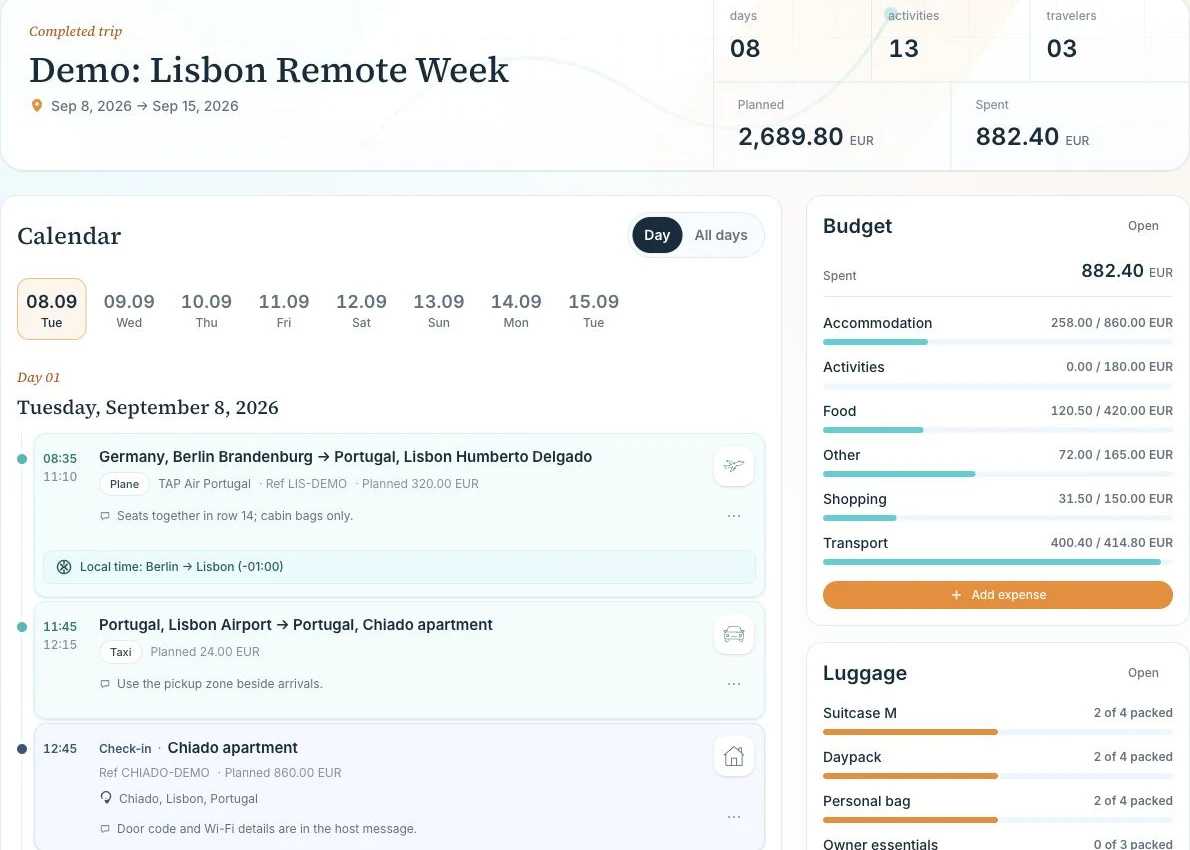
Switch between one day and the whole trip. Add accommodation, activities, meals, shopping, and other stops with dates, optional times, locations, notes, and booking references. Keep the details alongside the schedule.
For example
Land in Lisbon at 11:10, take the airport transfer at 11:45, and check in to the Chiado apartment at 12:45. Keep the apartment booking reference and arrival notes on its itinerary card.
Connect the journey, door to door.
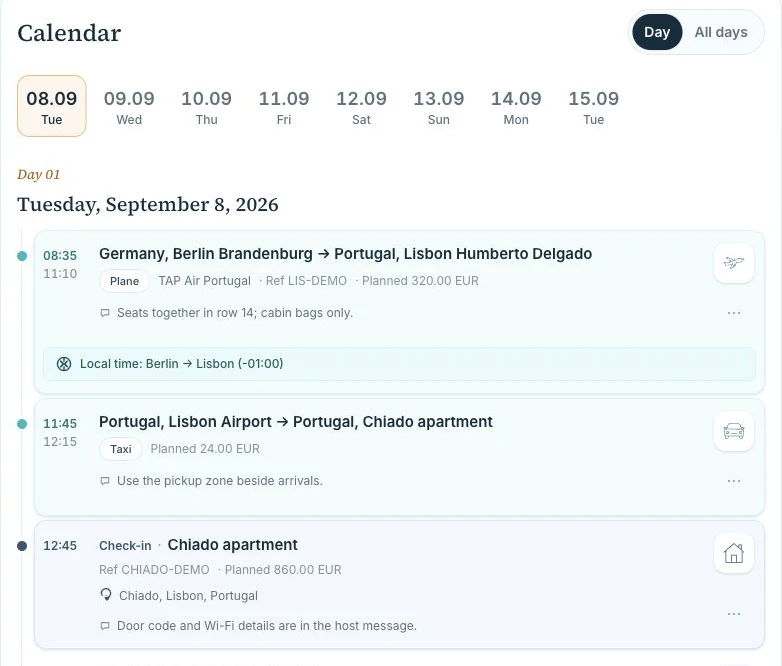
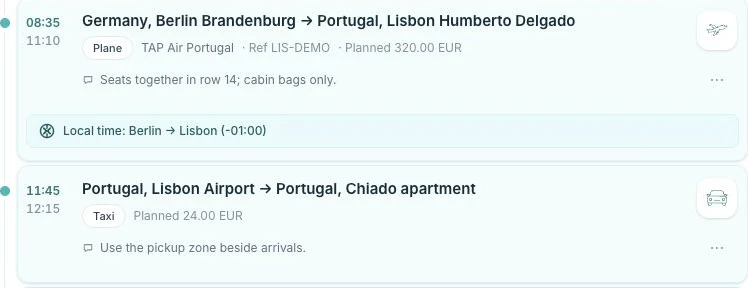
Keep origin, destination, carrier, local departure and arrival times, booking references, and assigned travelers on a transport item. Plane, train, and car are available on Free; paid trip access adds the other transport modes and linked cost tracking.
For example
For Berlin → Lisbon, keep the 08:35 departure and 11:10 arrival in their local time zones, the TAP carrier and LIS-DEMO reference. Add the airport taxi as the next leg.
Travel together. Choose who can edit.
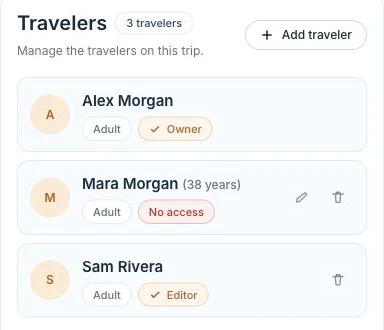
Add guest adults and children without requiring an account. Invite registered adults by email when they need access. Viewer access is read-only; collaborative editing requires paid trip access. Traveling on the trip and having access to its plan are separate choices.
For example
Alex owns the trip, Sam helps edit the plan, and Mara is listed as a traveler without account access. A child can appear in the traveler list without becoming a trip member.
Separate the estimate from the payment.
Paid optionPlan costs by category, then record actual expenses with a date, currency, and payer. Link payments to a planned cost or keep an unplanned expense separate. Itinerary estimates and their payments stay connected, so you can compare planned and spent amounts.
For example
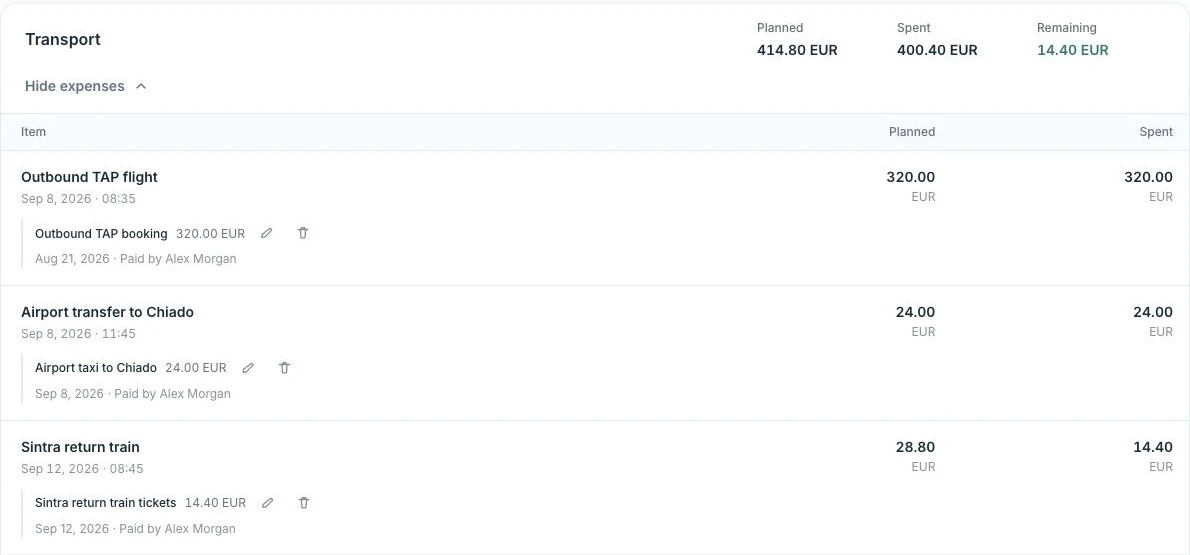
The outbound flight is planned at €320 and recorded as a €320 payment by Alex. The Sintra train is planned at €28.80, with €14.40 recorded so far. Both amounts remain visible together.
Set a daily allowance. See the bigger picture.
Paid optionUse one allowance for every day or choose different amounts for selected days. Assign planned costs and expenses to that allowance; planned costs inside it are not added twice. Review daily allowance spending, category totals, and the trip’s planned, spent, and remaining amounts.
For example
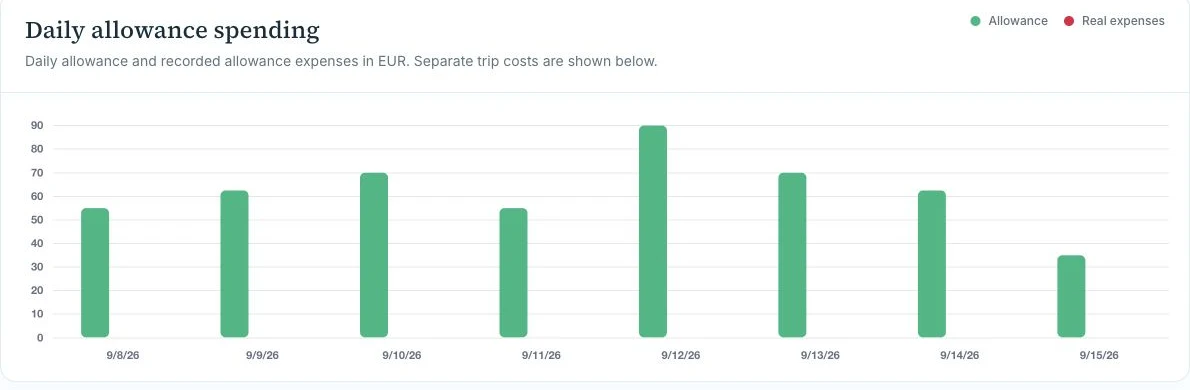
In this Lisbon plan, arrival day has €55 and the Sintra day has €90. The daily chart makes the different allowances visible. Flight and apartment payments can stay separate from day-to-day spending.
Know what is packed. And what is still missing.
Paid optionCreate a checklist for each bag using a predefined luggage type or your own title. Add and edit items, mark them packed, and follow each bag’s progress from the trip overview.
For example
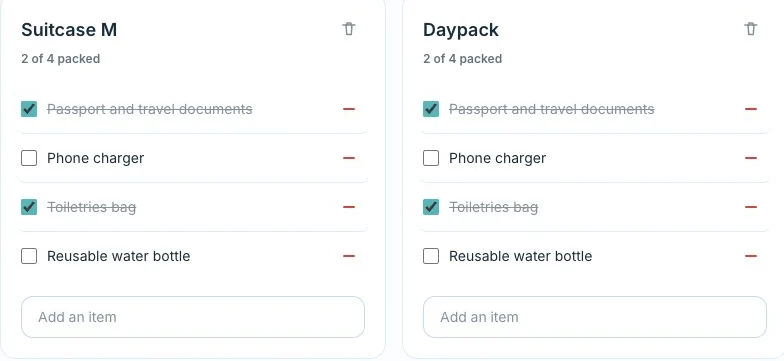
The suitcase and daypack each show 2 of 4 items packed. Documents and toiletries are ready; the phone charger and water bottle still need to go in.
Start with Free. Unlock a fuller trip.
Free
One Free trip per 12 months, up to 7 days. Unlimited itinerary items and traveler profiles, plane/train/car planning, and access for the owner plus one viewer.
Trip Pass
Unlock one selected trip: longer itineraries, all transport modes, finance, packing, and collaborative editing. Up to 4 connected accounts in total.
Friends & Family Pass
Assign up to 5 trips per paid year with paid trip features and up to 6 connected accounts per trip. See pricing for assignment and retained-access details.
Account limits include the owner and pending invitations. Traveler profiles without account access do not use a connected-account place.
Compare plans and pricesMake your next trip easier to follow.
Start with your dates and the first stop. Bring the rest of the plan together as your trip takes shape.
Create account